
Tutor app: lesson schedule, payments and a portal for students and parents
Lessons, payments and reports in one place.


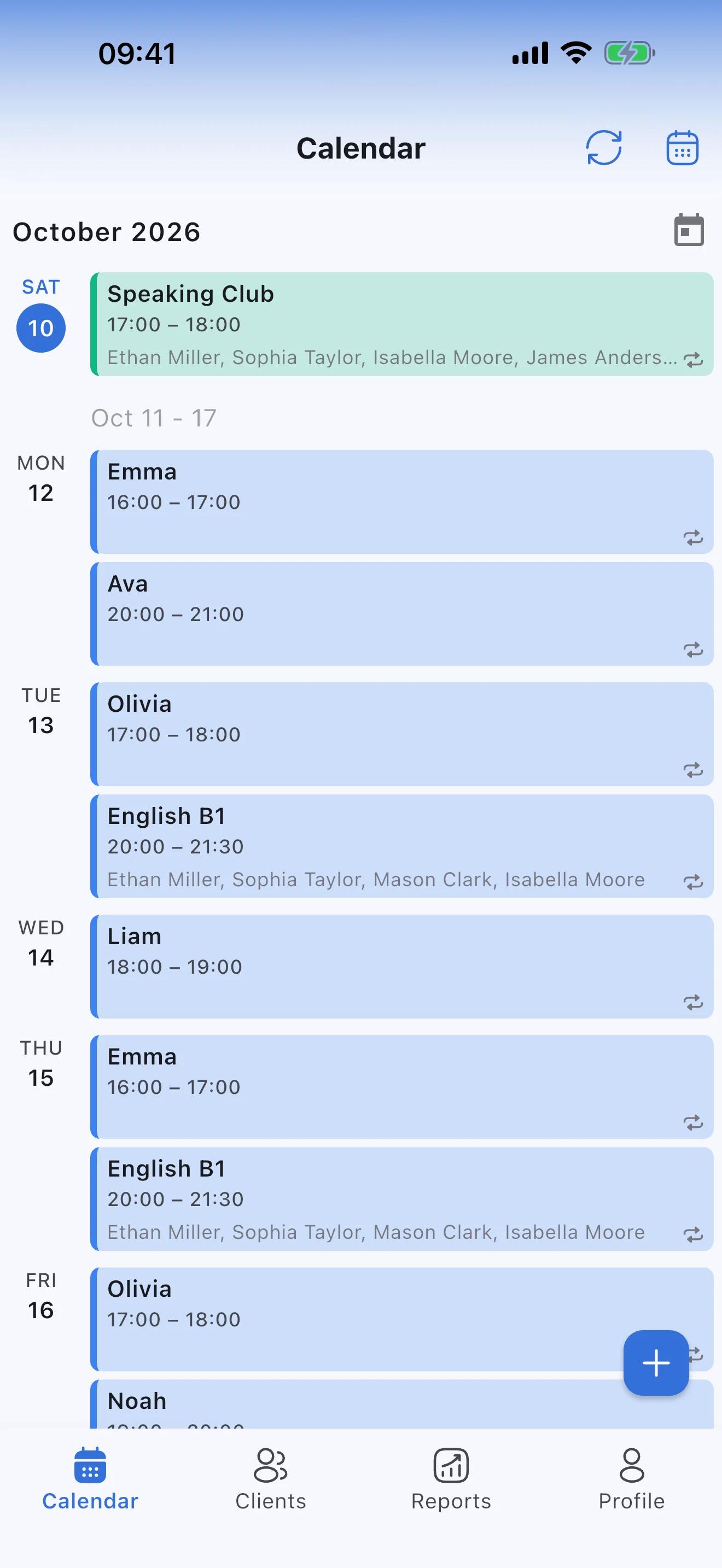
Lessons are over. The questions aren't.
When's the next lesson, where do we send the payment, how much do we still owe, did my son come on Monday. Each question takes a minute, and over a month that adds up to hours. Students and parents can find most of the answers themselves on their own portal.
Tuesday, October 13
10:47
From chat chaos to order in one app
Situations every tutor knows, and how Syncoly helps in each.
The schedule in a notebook, changes in the chat
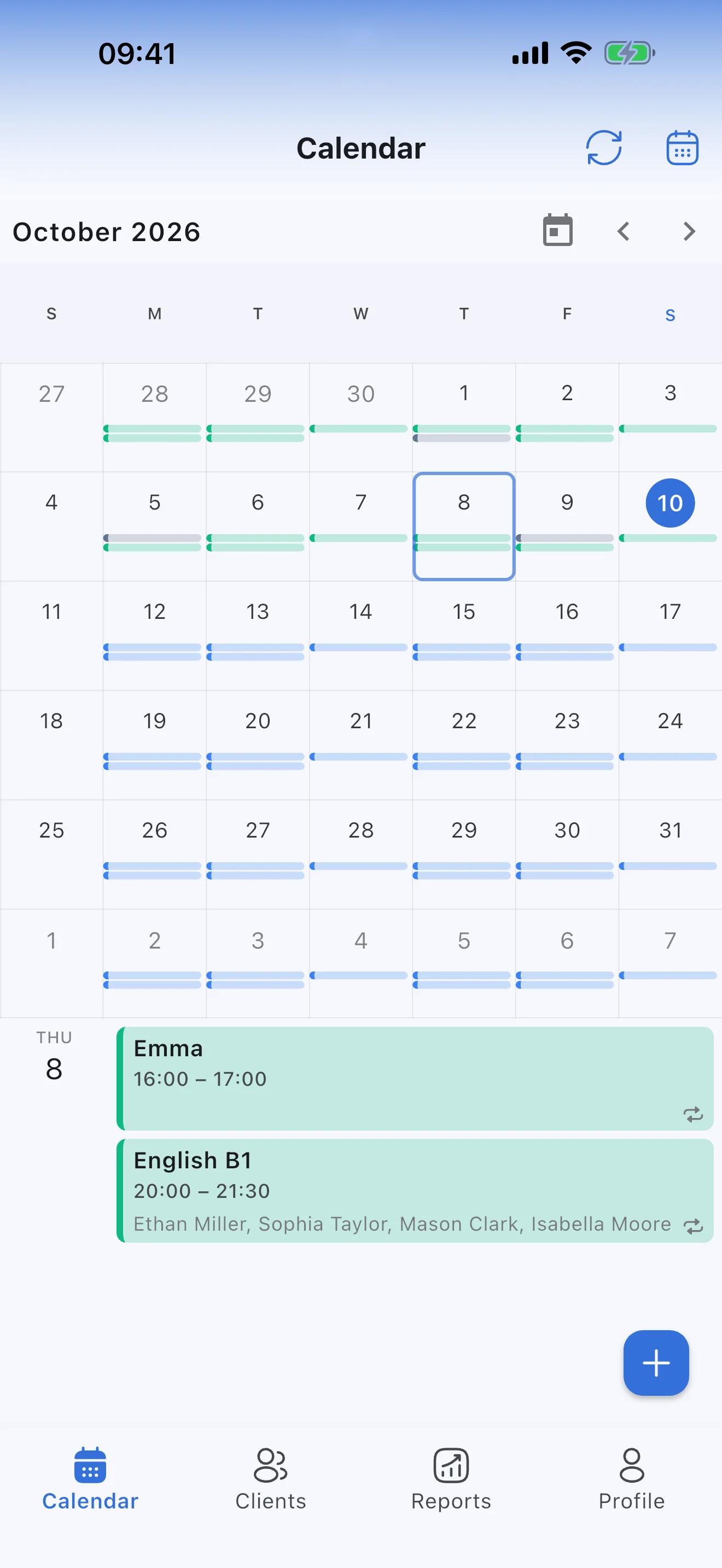
A schedule you don't have to rewrite every time
Add a student to the schedule once, say every Tuesday at 6 pm, and their lessons appear in the calendar every week. Asked to move one? Drag it to another time and choose: this lesson only, or all that follow.
- Moving or canceling a lesson takes seconds
- Day, week, month or list view, whichever suits you
When's our next lesson?
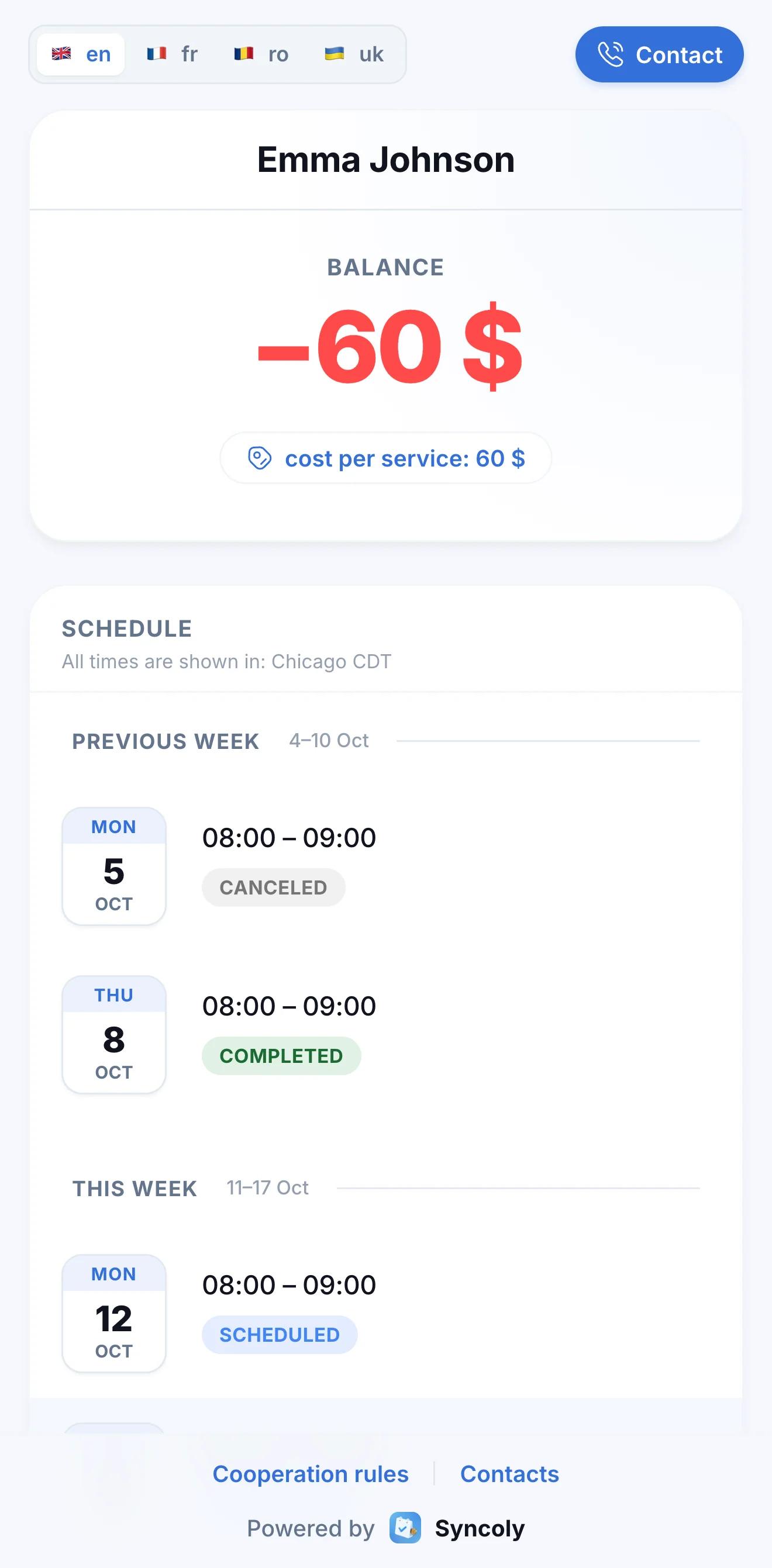
Students see their schedule in their own time zone
Every student has their own portal link, with the schedule for last week, this week and next and each lesson's status. Times are shown in the student's time zone: a student in Chicago sees 8:00 for your 9:00 lesson in New York.
- No app and no sign-up, just a link
- Cancel or move a lesson and students and parents see it on the portal right away
- Students get a reminder on their phone 30–60 minutes before each lesson
How much notice do you need to cancel?
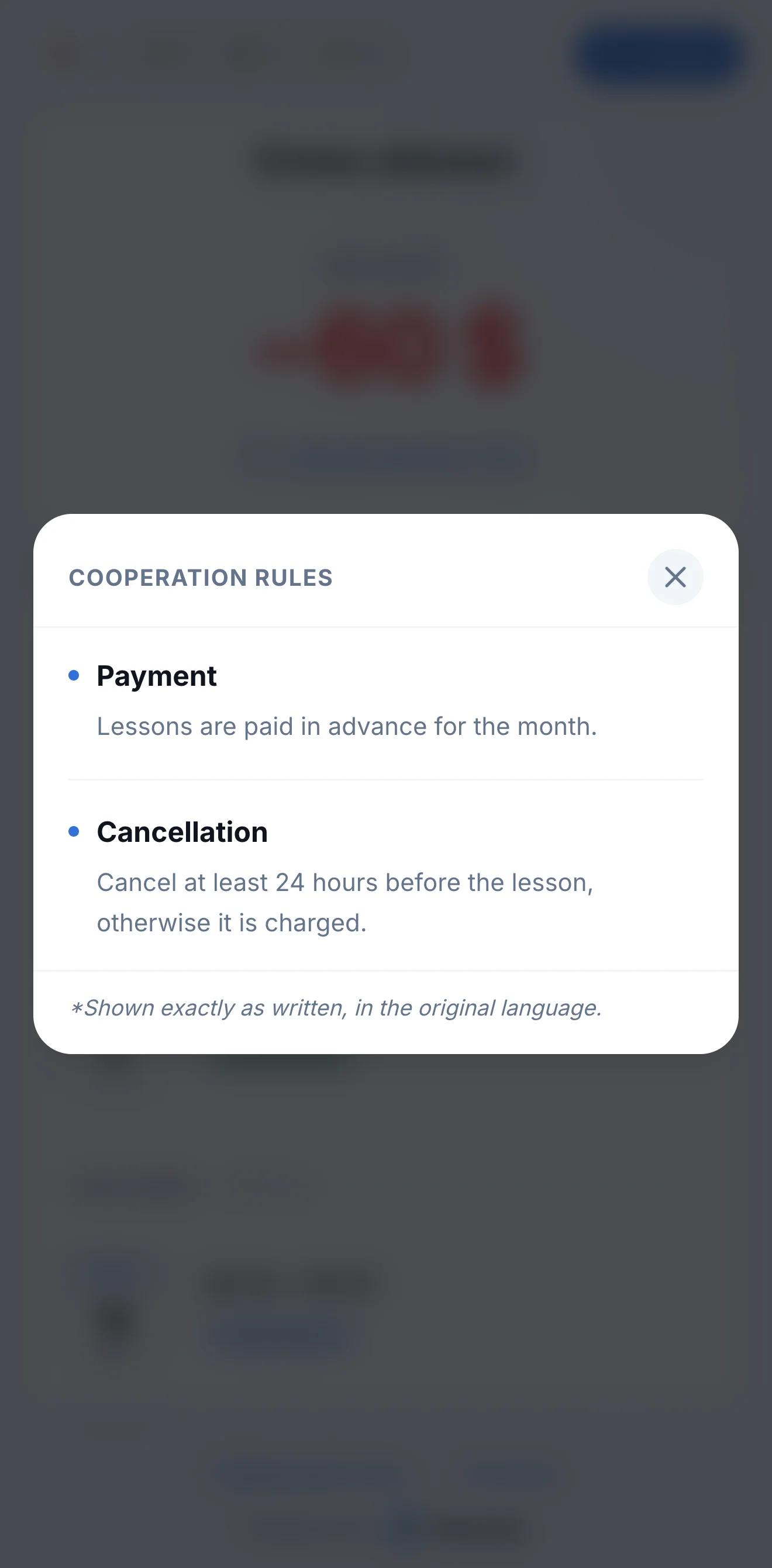
Your rules and contacts on your students' portals
Add your contact details and terms once: when to pay, how much notice a cancellation needs, what happens if a student is late. Students and parents read them on the portal, and the awkward conversations stop.
- Up to 15 rules with short headings
- Change a rule and the portal shows the new version at once
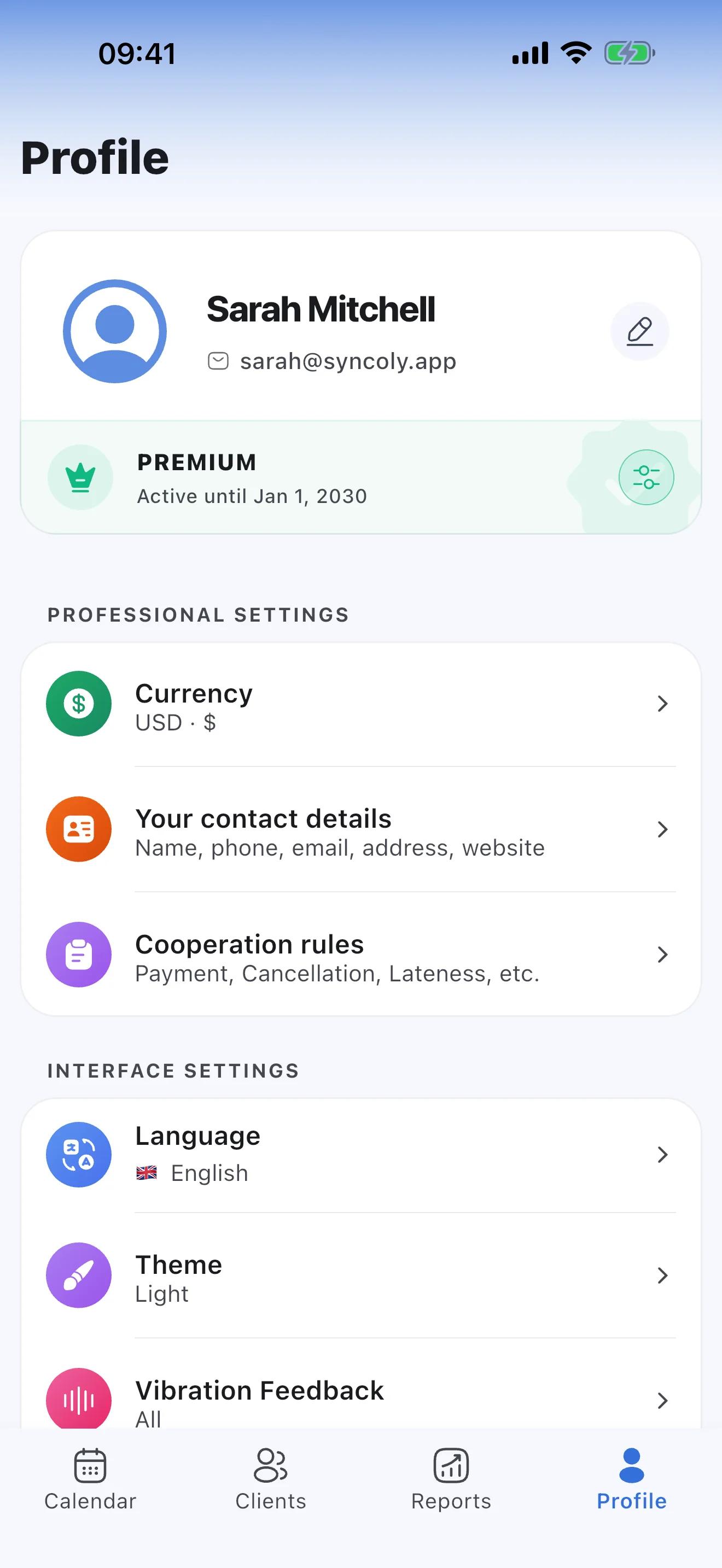
A cancellation an hour before the lesson
Late cancellations: you decide whether to charge
When you cancel a lesson, turn on "Charge clients" if you take payment: the usual lesson price or another amount. If you called the lesson off yourself, turn on "Canceled by me" instead: the student pays nothing and it doesn't count as their miss.
- Reports count unpaid cancellations as lost income
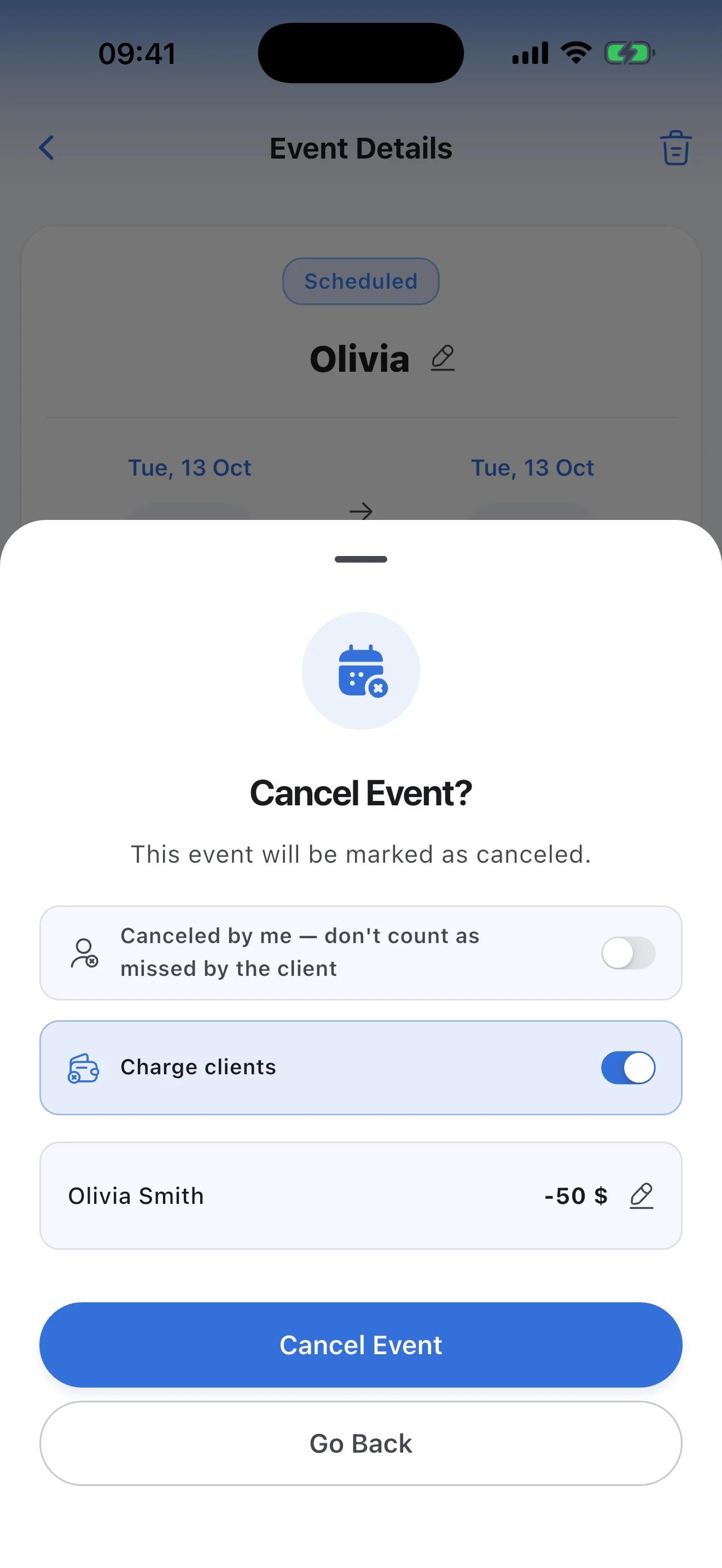
- Premium
After a group lesson, working out who owes what
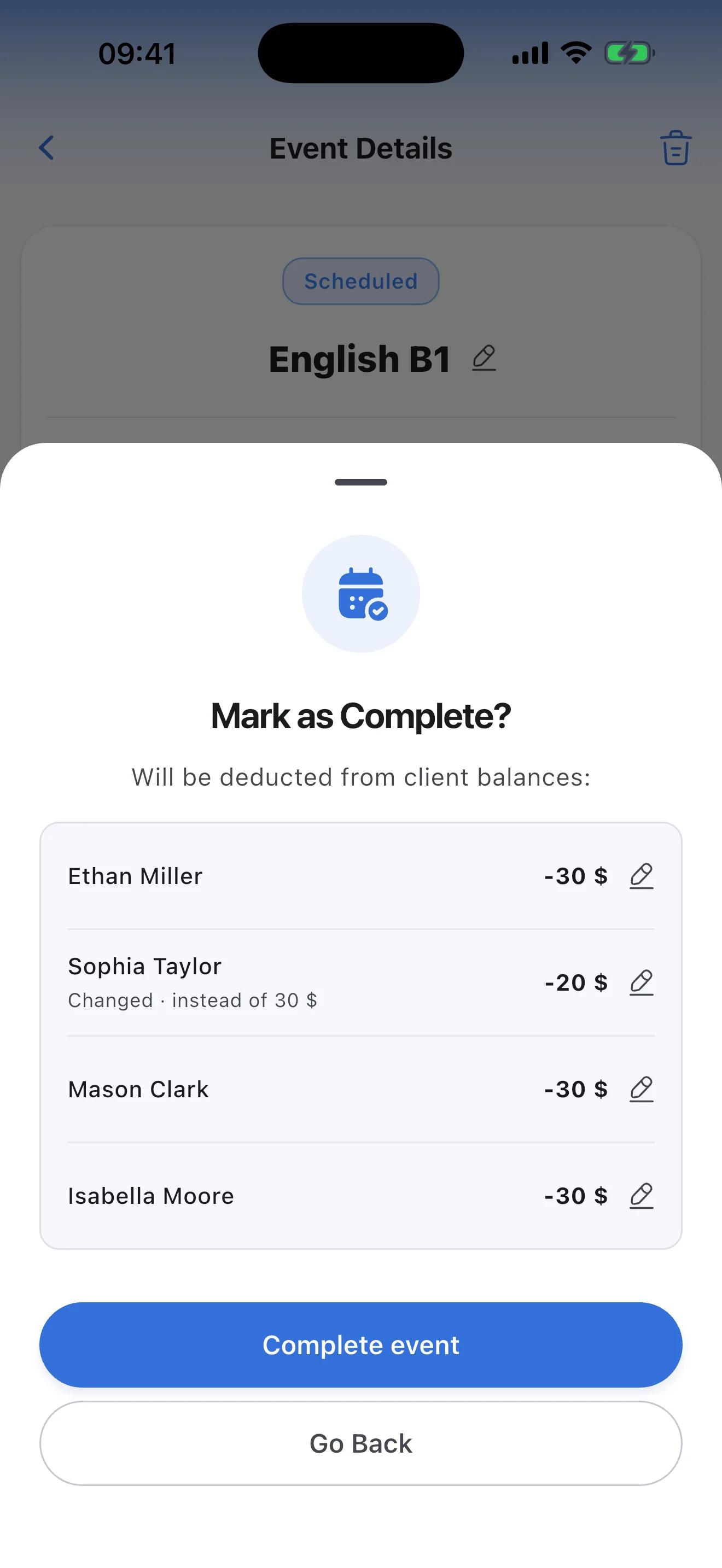
Group lessons: each student at their own lesson price
When you complete the lesson, you see the amount each student pays at their own price. Giving someone a discount today? Change it for this lesson only. Mark anyone who didn't come as absent and decide whether to charge them.
- A one-off discount doesn't change the student's usual lesson price
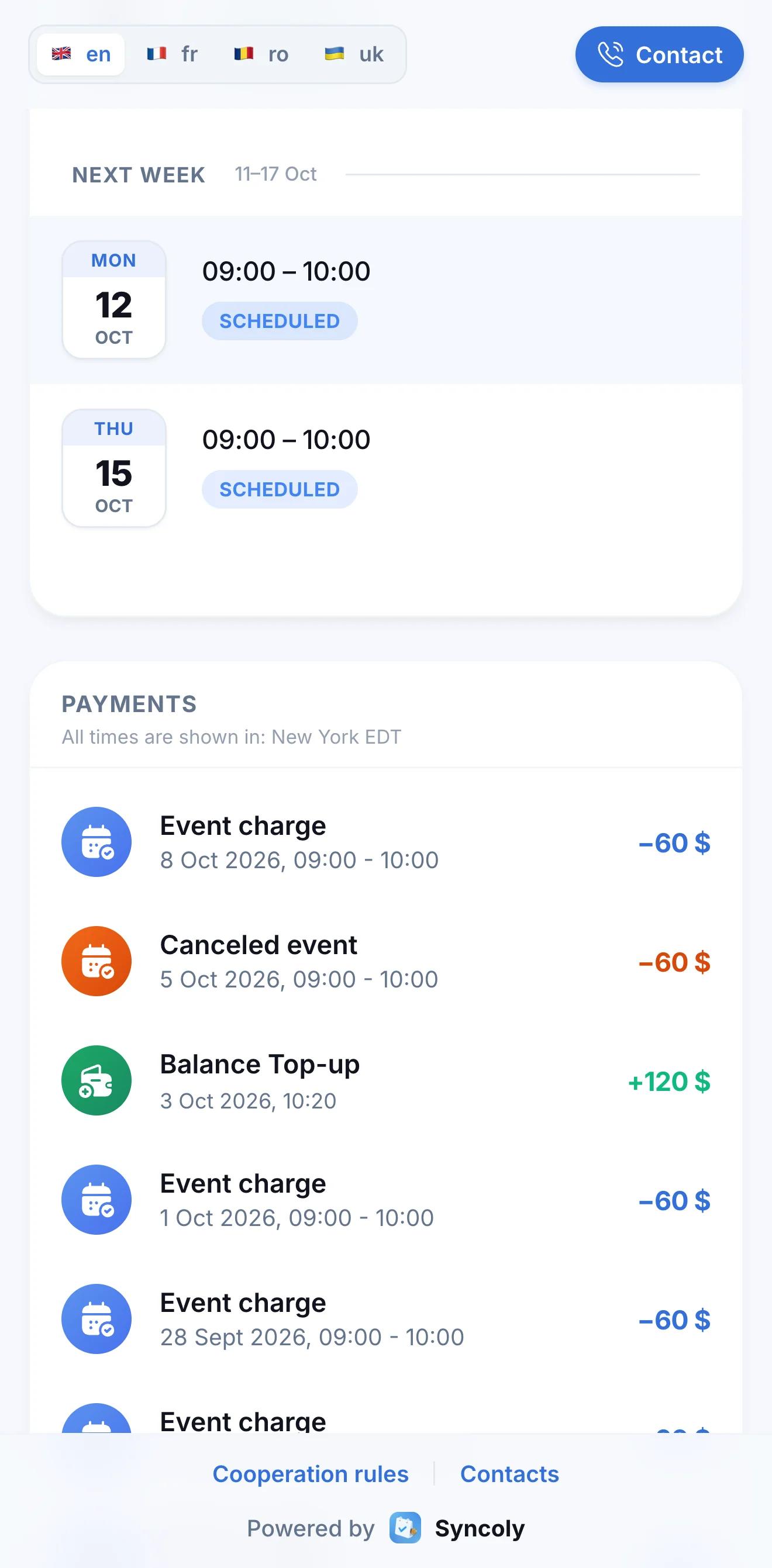
Did you get the payment? How much is left to pay?
Parents see the balance, payments and attendance themselves
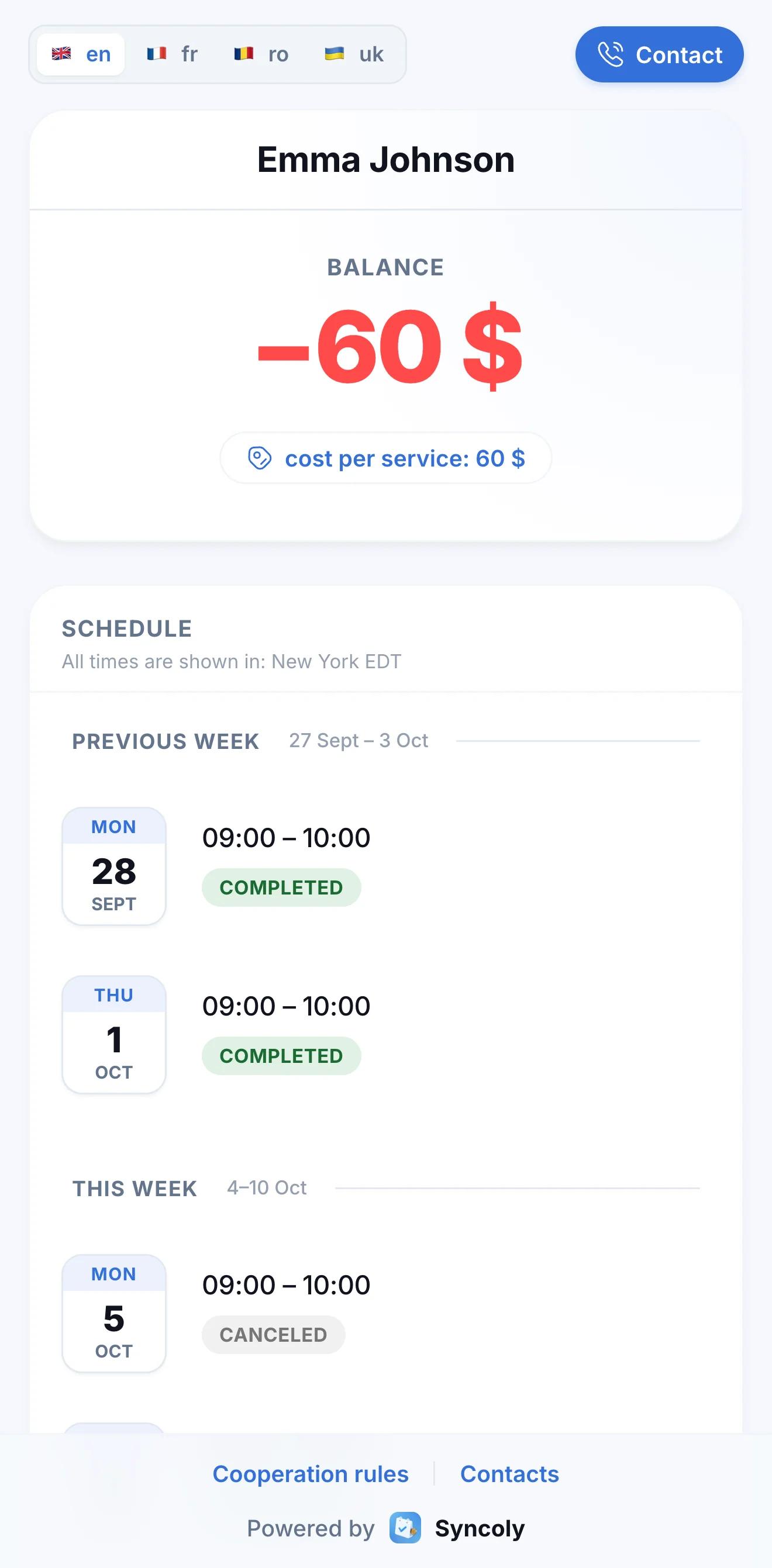
Send parents the same portal link the student has. They'll see the current balance, the latest payments and charges, and whether their child came to each recent lesson. "Did the money arrive?" and "How much do we owe?" stop coming.
- No app and no password
- Replace the link any time; the old one stops working
Reminding parents about a debt feels awkward
Who owes what, at a glance
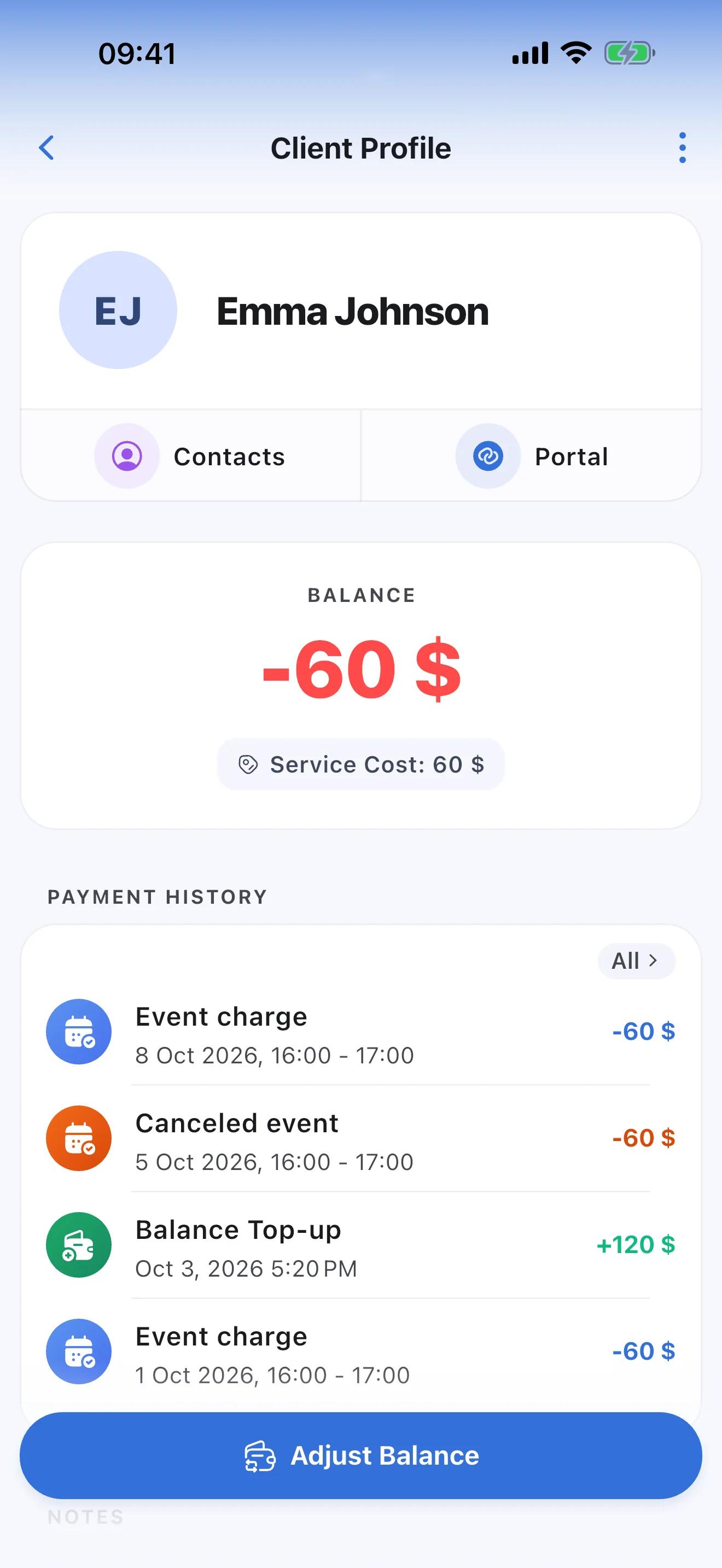
Students' balances keep themselves: a completed lesson deducts its price, and a payment you record tops the balance up. Parents see the balance and payments on the portal, so instead of reminding them about a debt you just send the link.
- A month's prepayment goes in as one amount
- Record a payment and parents get a notification right away
Which account do I pay into?
Payment details and the amount due on the student's portal
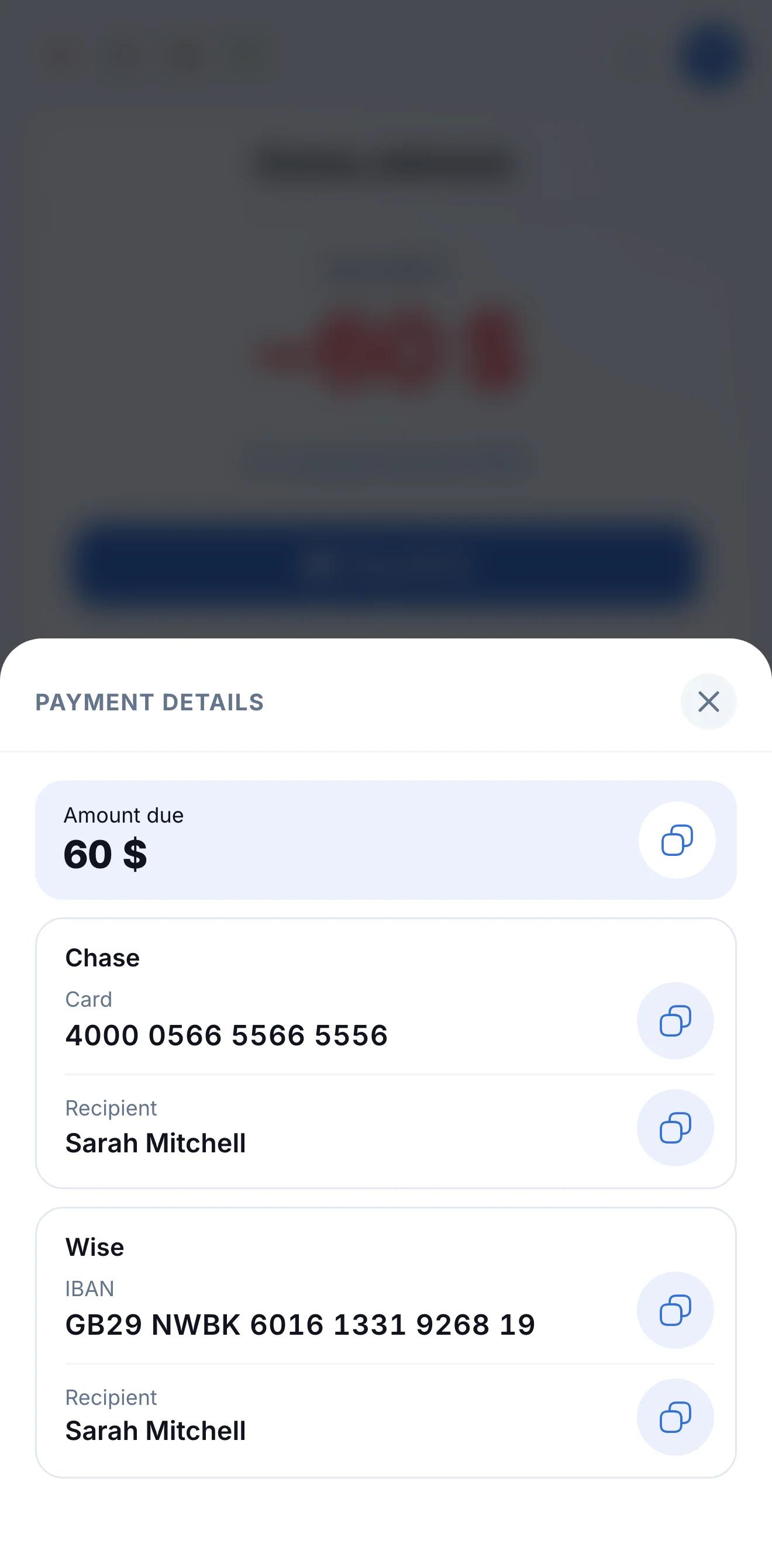
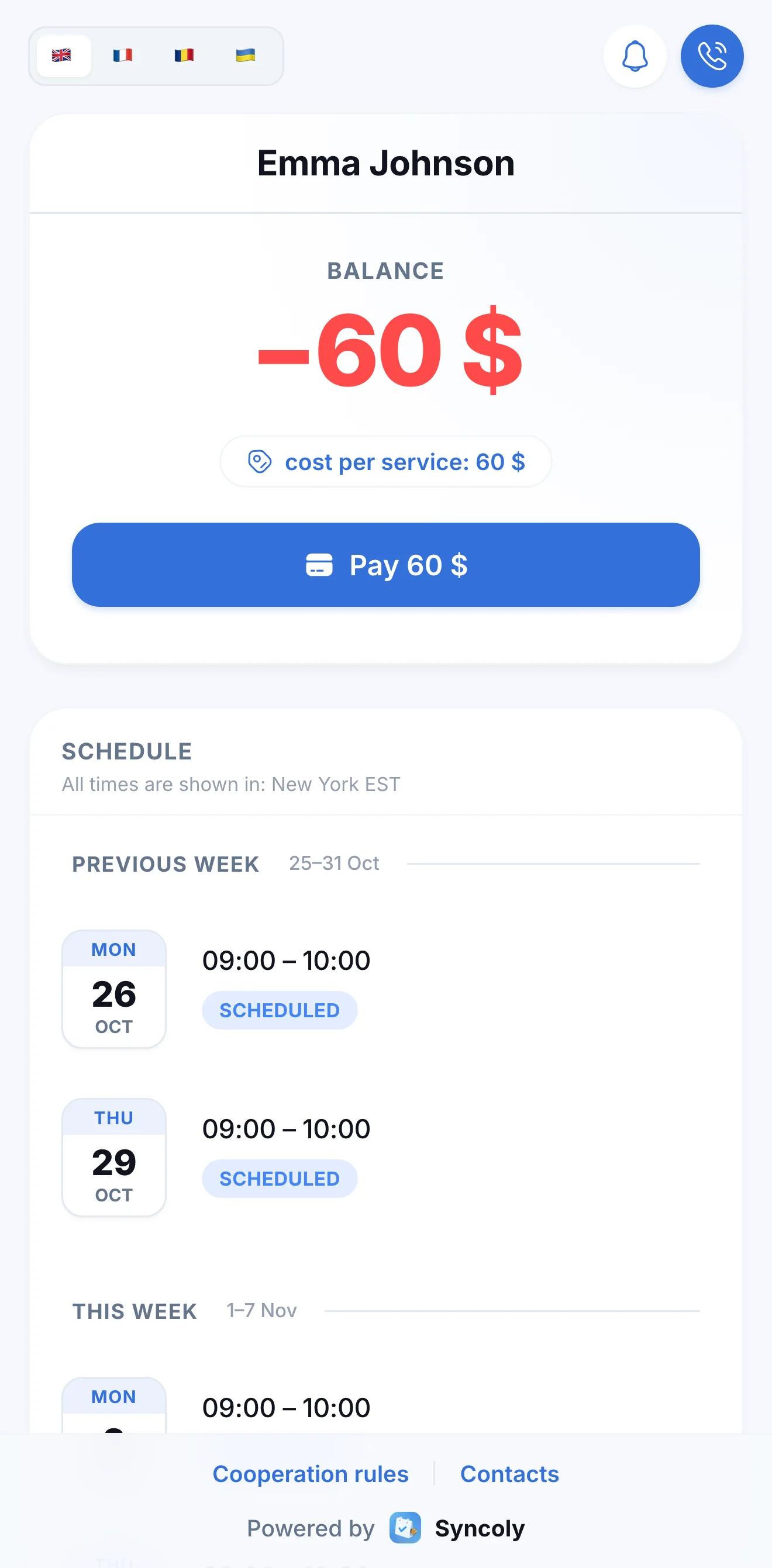
Add your payment details to your profile and they appear on your students' portals, so you no longer have to dig out your bank details and send them in chats every time. Parents and students see the amount due and your details on the portal, and copy them straight into their banking app.
- Up to three cards or IBANs, with the recipient's details
- Next to the balance, a "Pay" button with the amount owed
How much do I actually earn in a month?
Your income, without spreadsheets or math
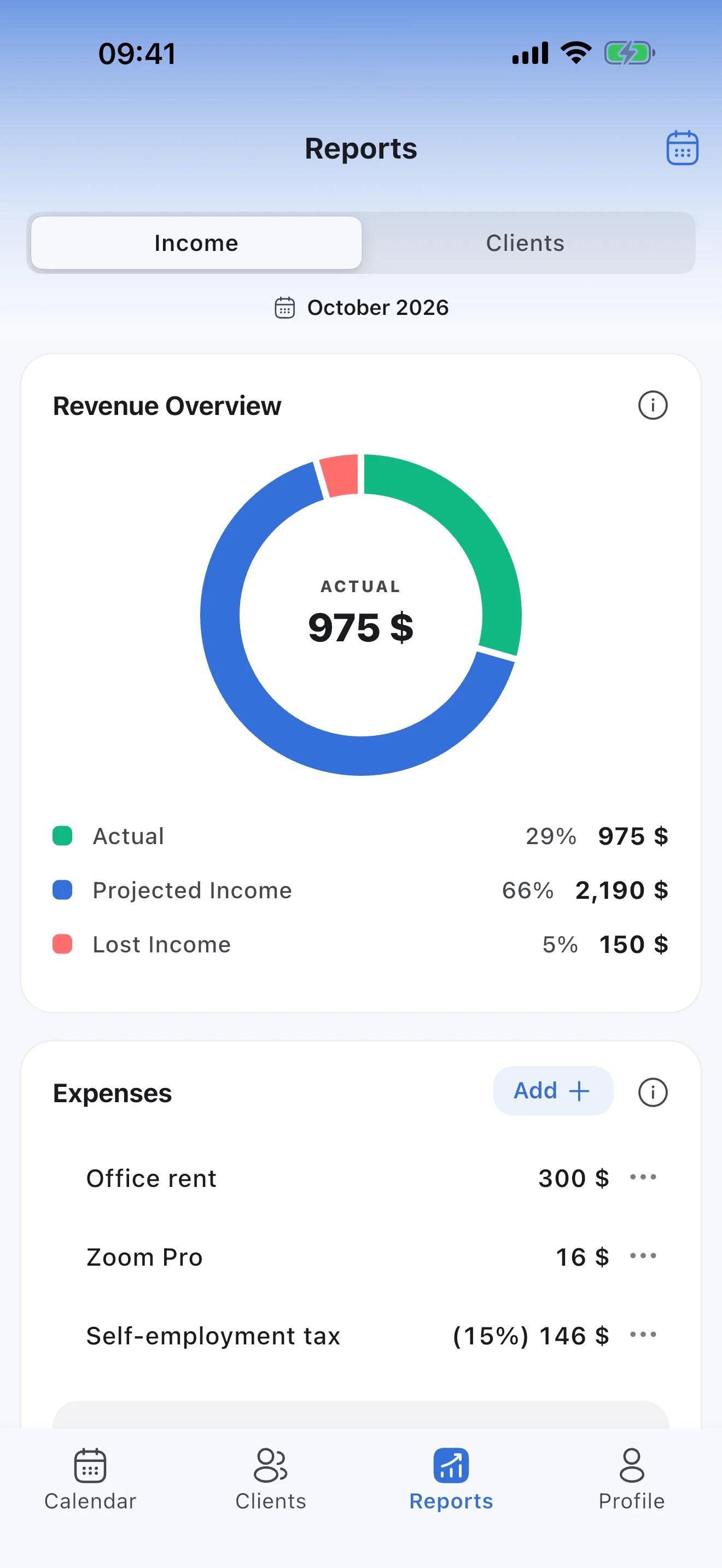
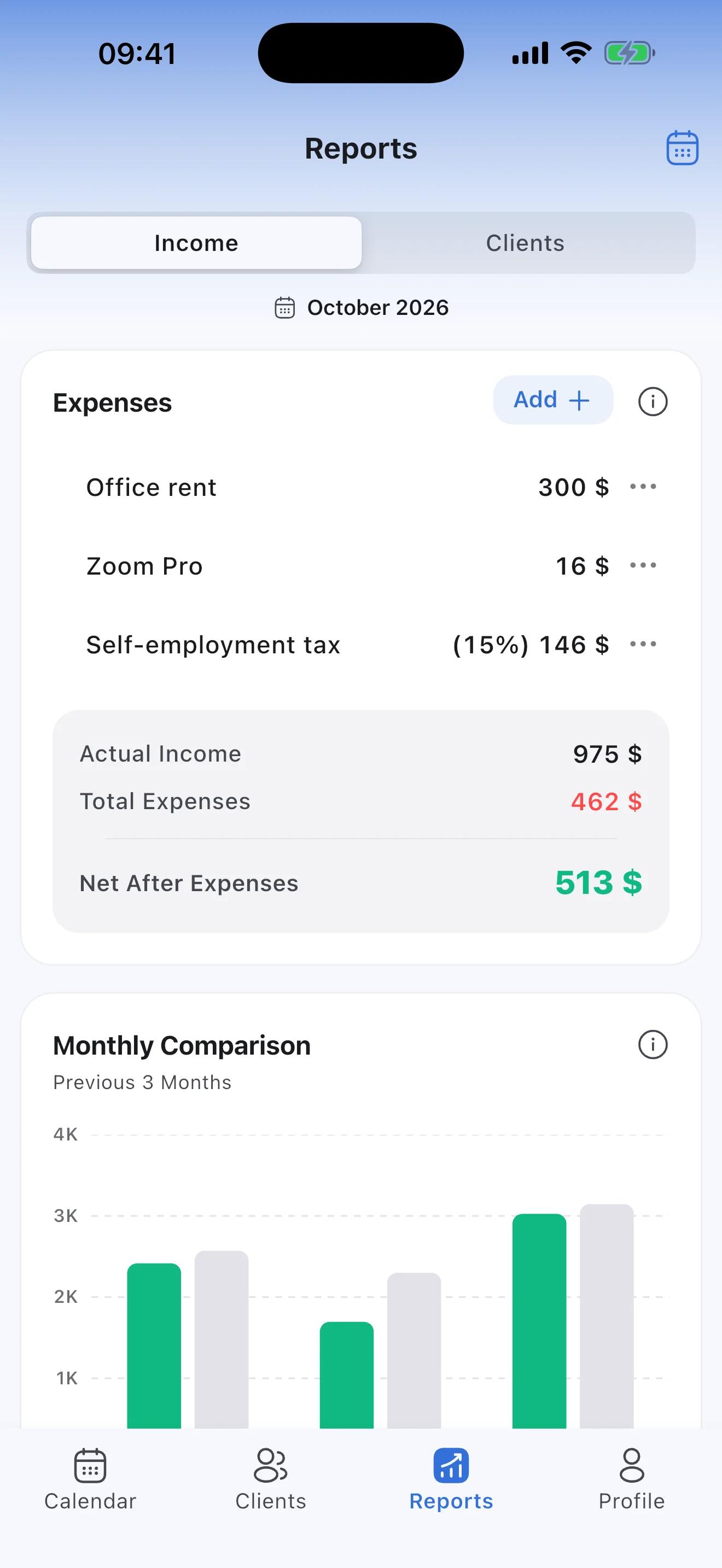
Reports show your actual income, what your scheduled lessons will still bring by the end of the month, and what unpaid misses and cancellations cost you. A three-month comparison shows how your income is changing.
- Each student's attendance: lessons held and missed
- Prepayments aren't income: only what you charge for lessons counts
What's left after rent and tax?
Expense tracking and net profit
Add your expenses: office rent or Zoom as a fixed amount, tax as a percentage of income. The report subtracts them from what you've earned and shows what's left for you.
- Expenses can repeat every month
- A percentage is taken from the month's actual income
Good to know
- Money doesn't go through Syncoly: you record what clients pay you.
- Students don't book lessons themselves: you keep the schedule.
- Free for up to 5 students; more students and group lessons need Premium.
Still have questions?
How the portal, payments, reports and subscription work: the answers are in the FAQ.
Coach or personal trainer? Syncoly for trainers →
Your schedule and your income, finally in sync.
Join the professionals already running their business on Syncoly.
Scan with your phone's camera