
Personal trainer app: session schedule, payments and notes on client progress
Personal and group sessions, passes and reports in one place.


Sessions are over. The messages aren't.
When's the next session, how much is left on my pass, what weight did I lift last time, did my transfer arrive. Each takes a minute, and over a month that adds up to hours. Clients see some answers on their portal themselves; the rest you'll find in Syncoly.
From chat chaos to order in one app
Situations every trainer knows, and how Syncoly helps in each.
Personal sessions in a notebook, classes in a group chat
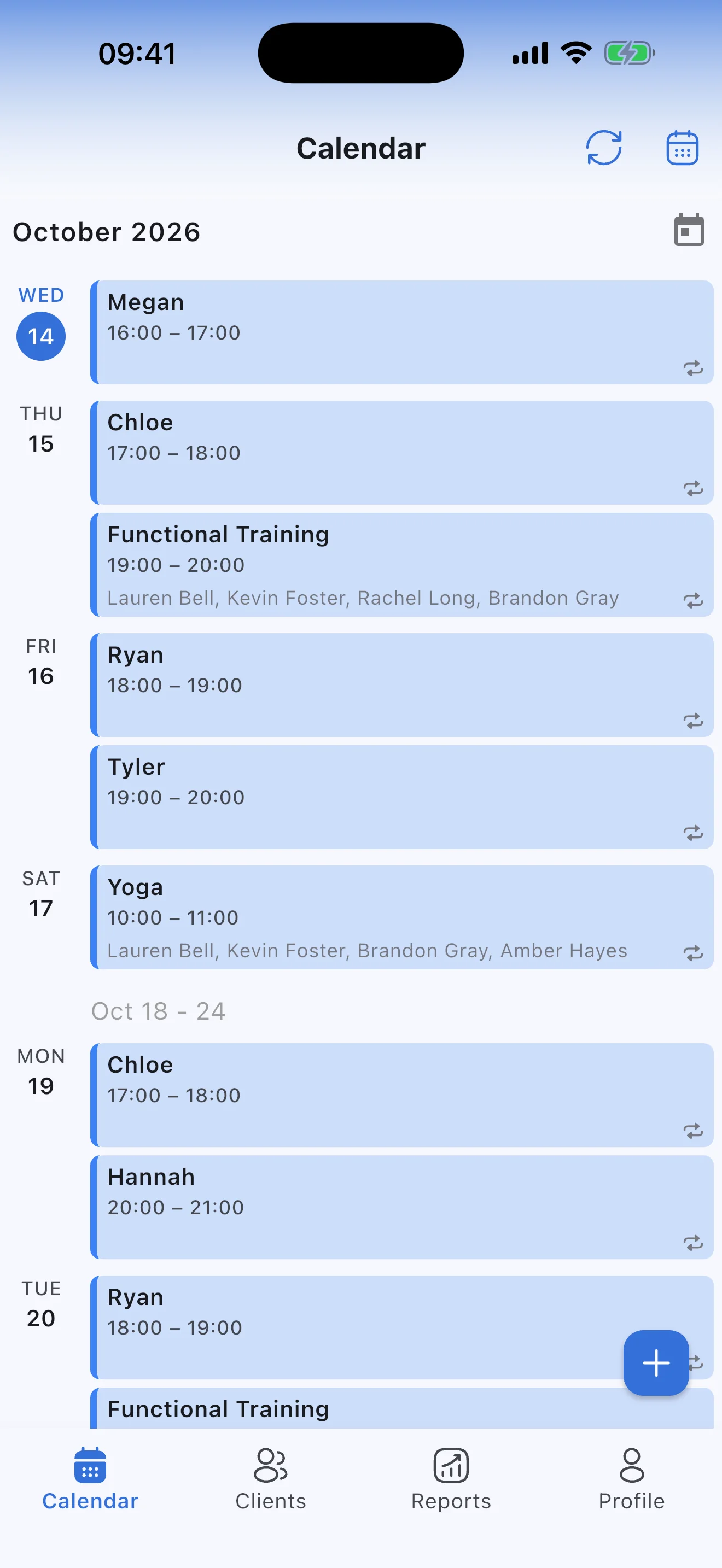
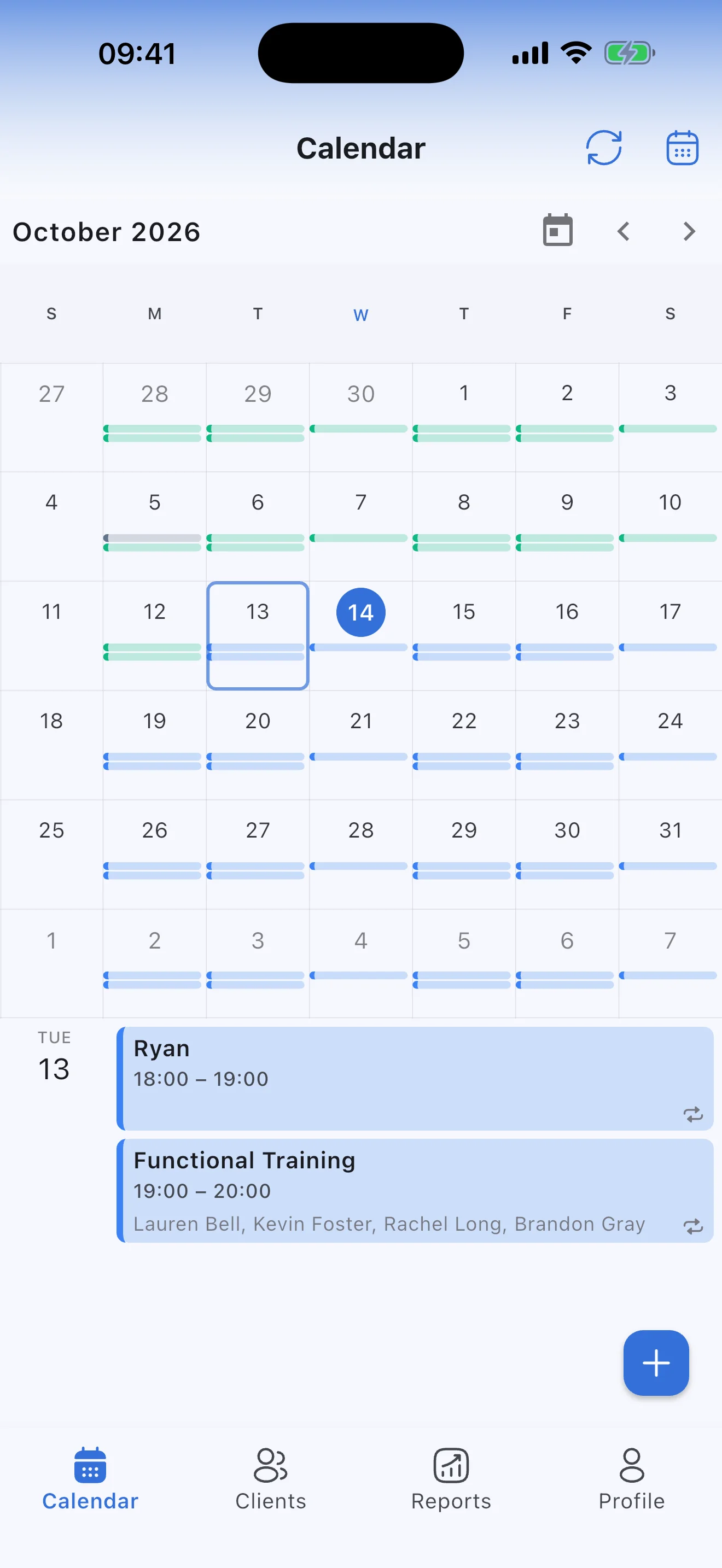
Personal and group sessions in one calendar
Add a regular session once — say, every Monday at 8 am — and it appears in the calendar week after week. Group classes sit next to personal sessions, so the whole day fits on one screen. Drag a session to move it, for this time only or for all that follow.
- Repeats daily, weekly or monthly
- Moving or canceling a session takes seconds
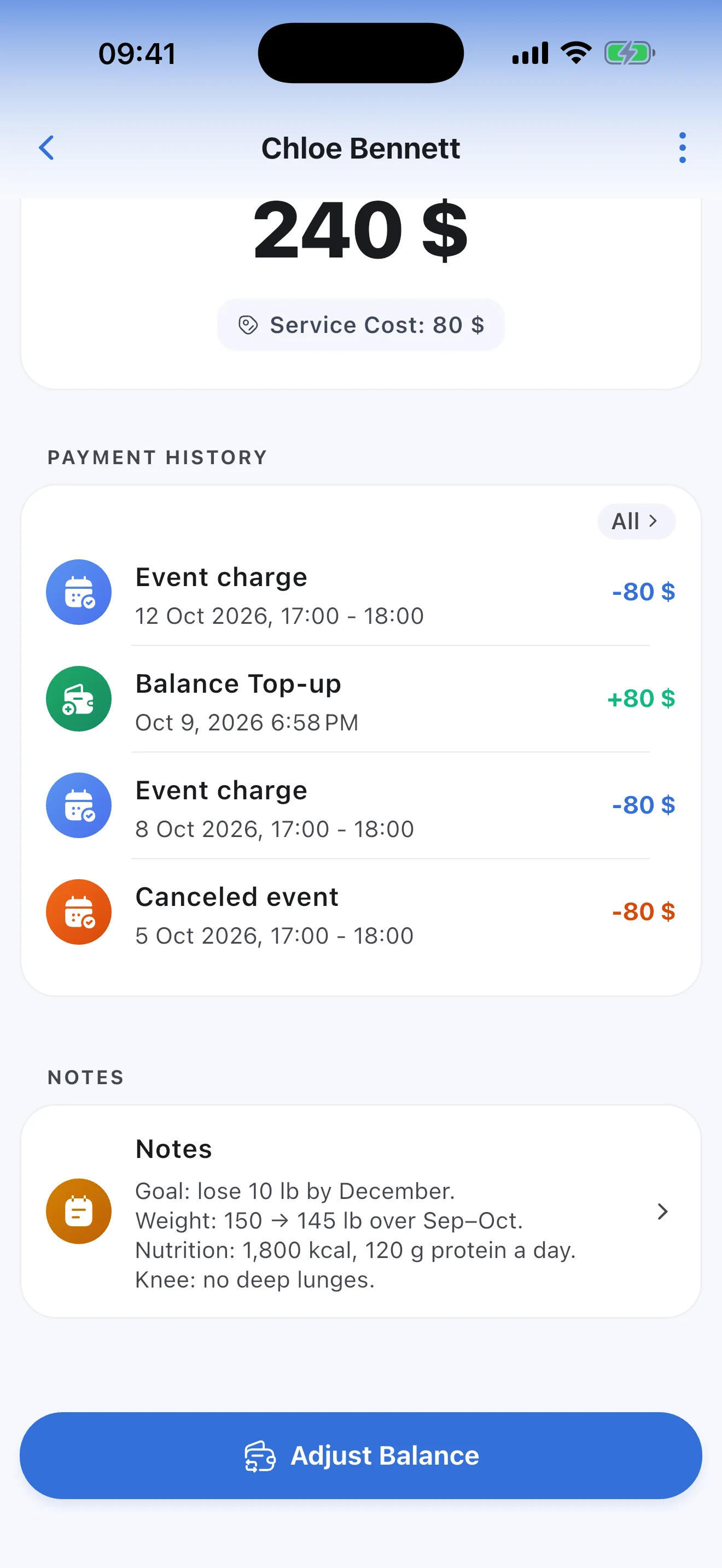
How much is left on my pass?
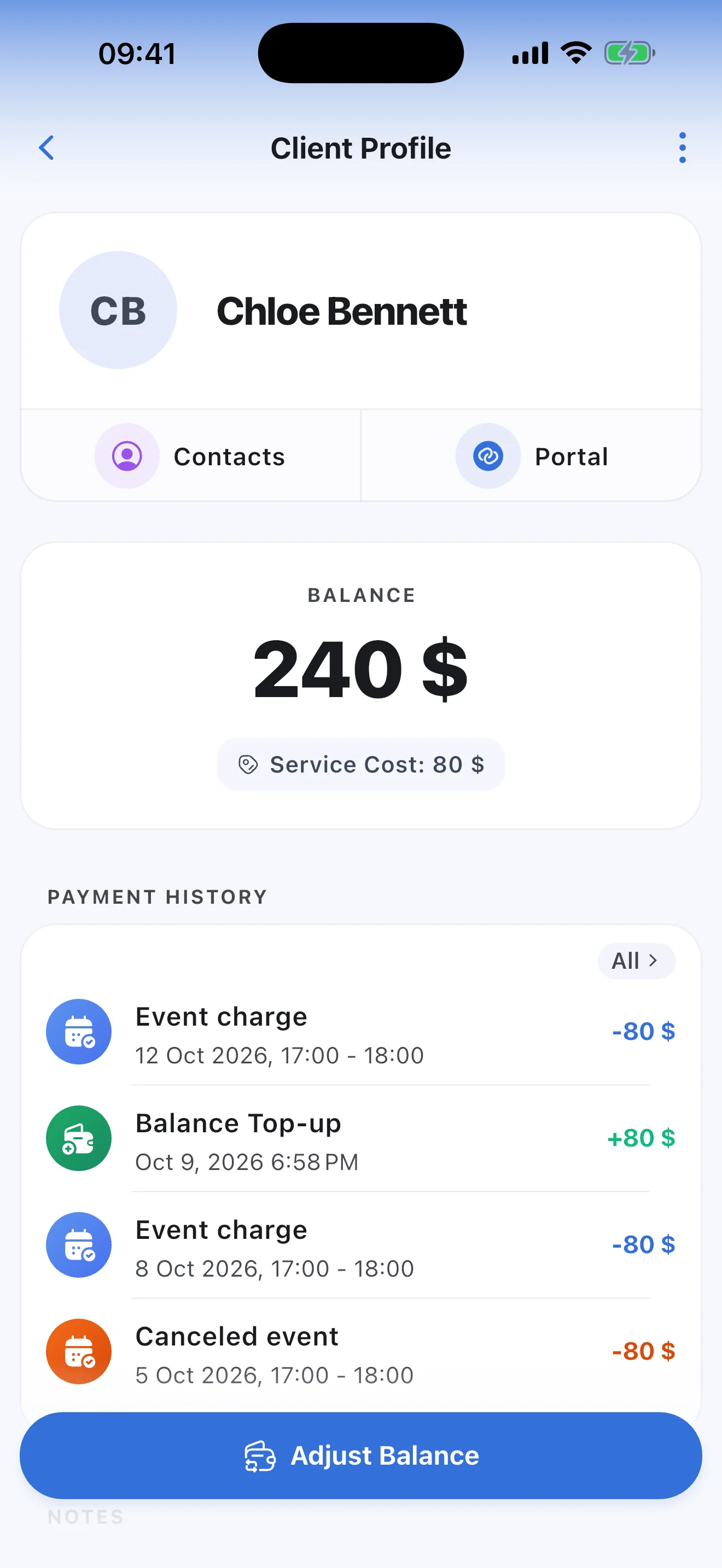
A pass is a prepayment on the balance
A client paid for the month? Record the amount with "Adjust Balance". Each completed session deducts its price, and what's left is always visible: in the app for you, on the portal for your client. A plus is what's still prepaid; a minus is what the client owes.
- One price per client; set a lower one for clients who only come to classes
- The full history: top-ups, charges and cancellations
What weight did I lift last time?
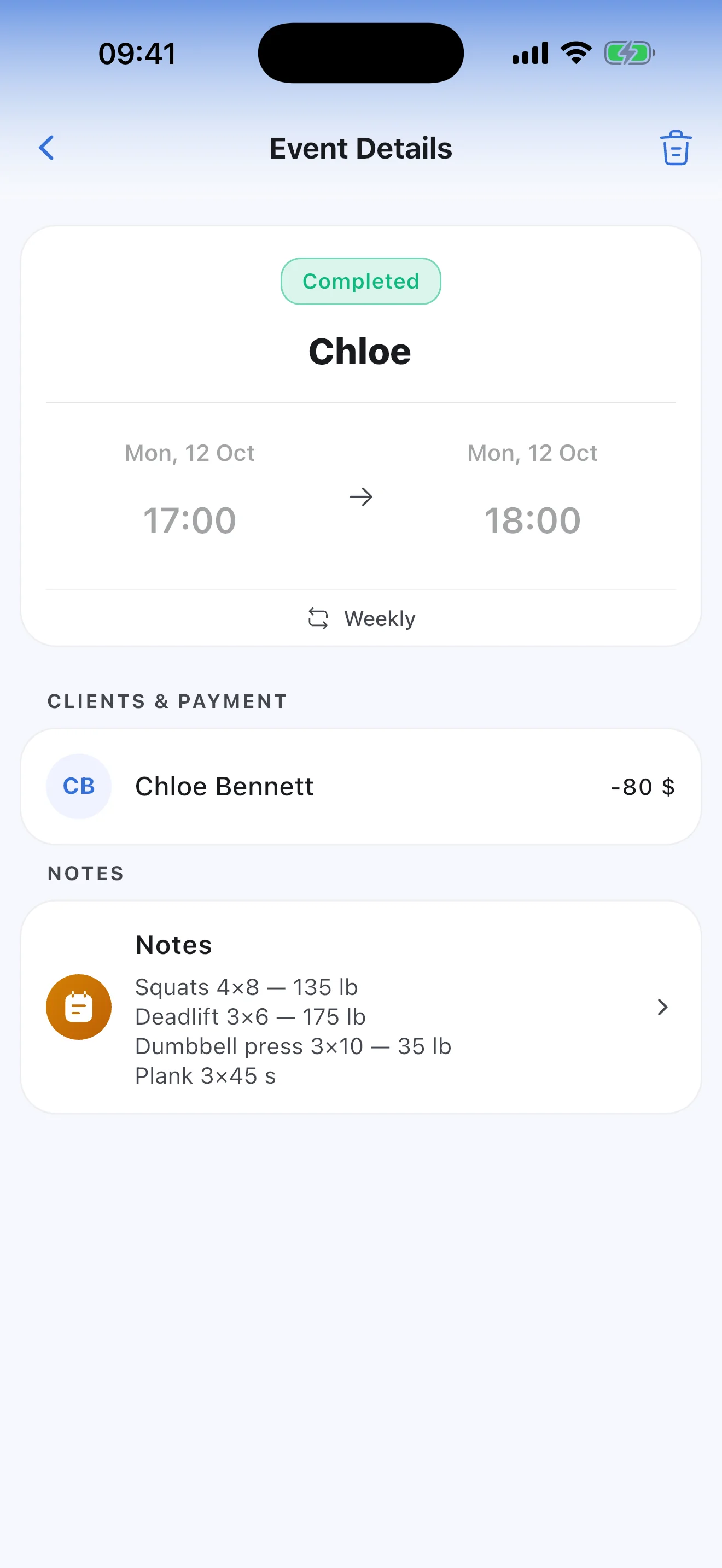
Notes on every session and every client
After a session, write down what you did: exercises, sets, weights. Next time, open the last session and pick up where you left off. On the client's card, keep what always matters: the goal, progress, nutrition plan and limitations.
- Only you see the notes; they never appear on the client's portal
- Add to the notes even after the session is completed
Can't make it today, an hour before the session
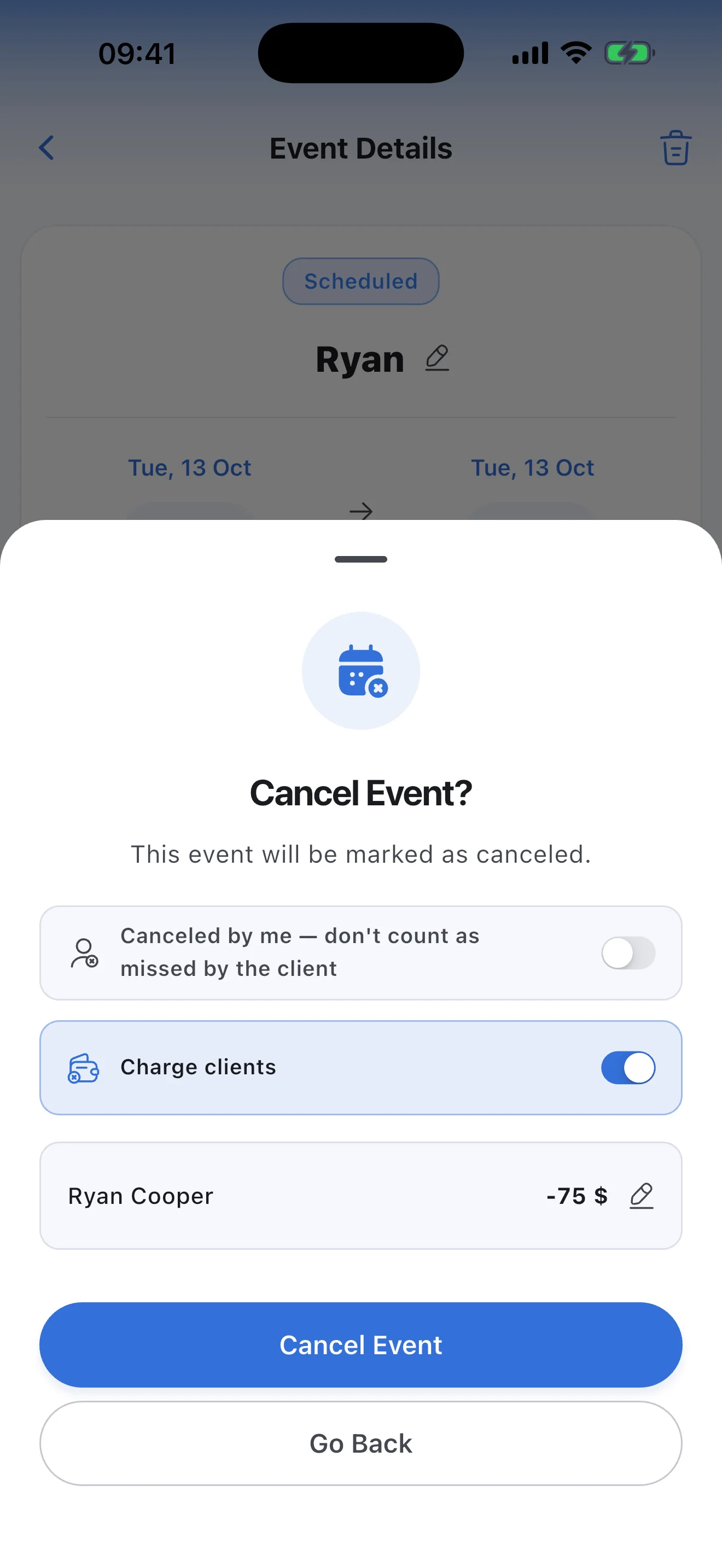
Late cancellations: you decide whether to charge
When you cancel a session, turn on "Charge clients" and the client is charged their usual price, or another amount for this session only. If you called it off yourself, turn on "Canceled by me" instead: the client pays nothing and it doesn't count as their miss.
- Reports count unpaid cancellations as lost income
After a class: who came, and who pays what
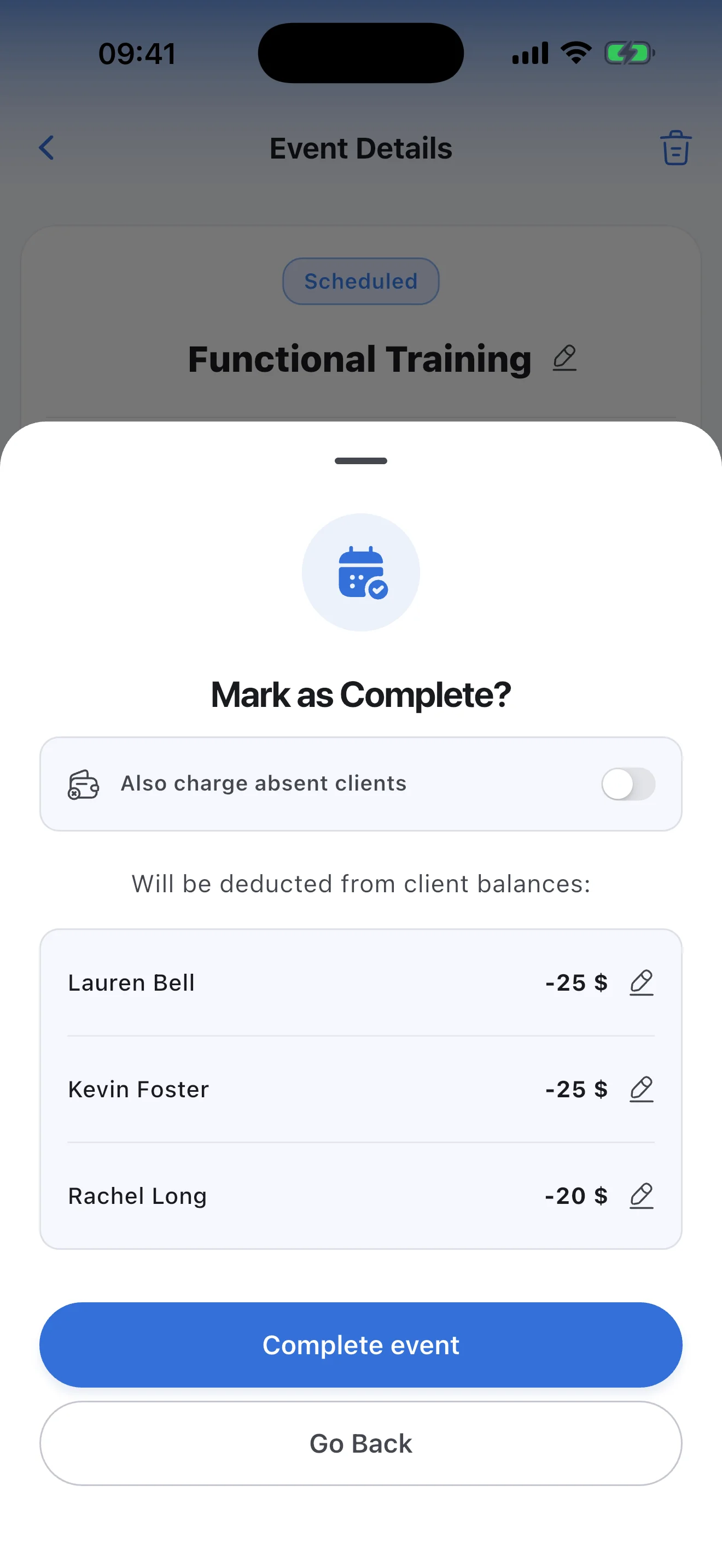
Group classes: everyone is charged their own price, absentees only if you choose
Mark anyone who didn't come as absent, then tap "Complete event". Syncoly shows the amount for each client who came, each at their own price. Absentees are charged nothing unless you turn on "Also charge absent clients".
- Absences count in each client's activity in reports
What time is my session tomorrow?
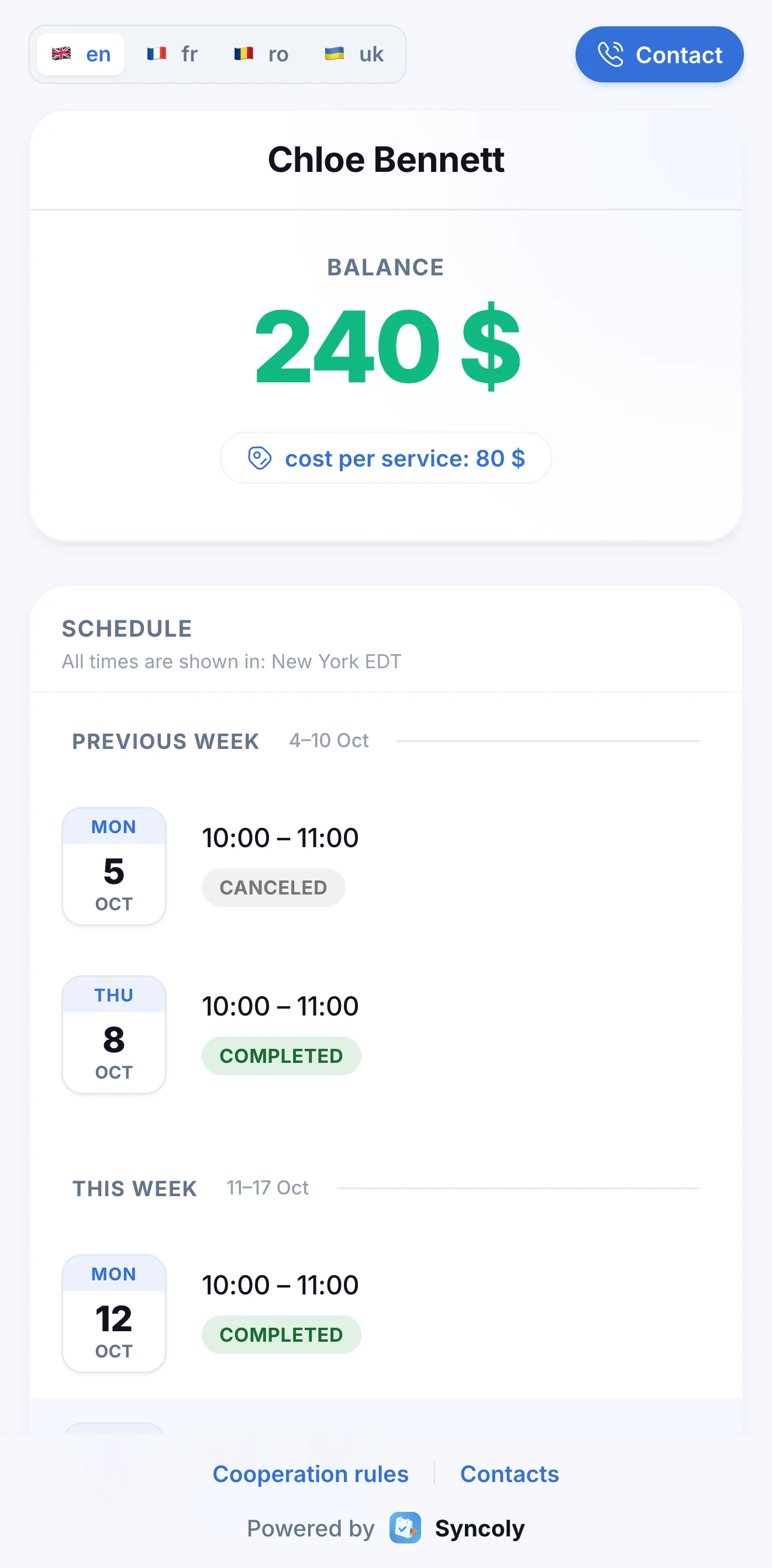
The client portal: schedule, balance and your rules
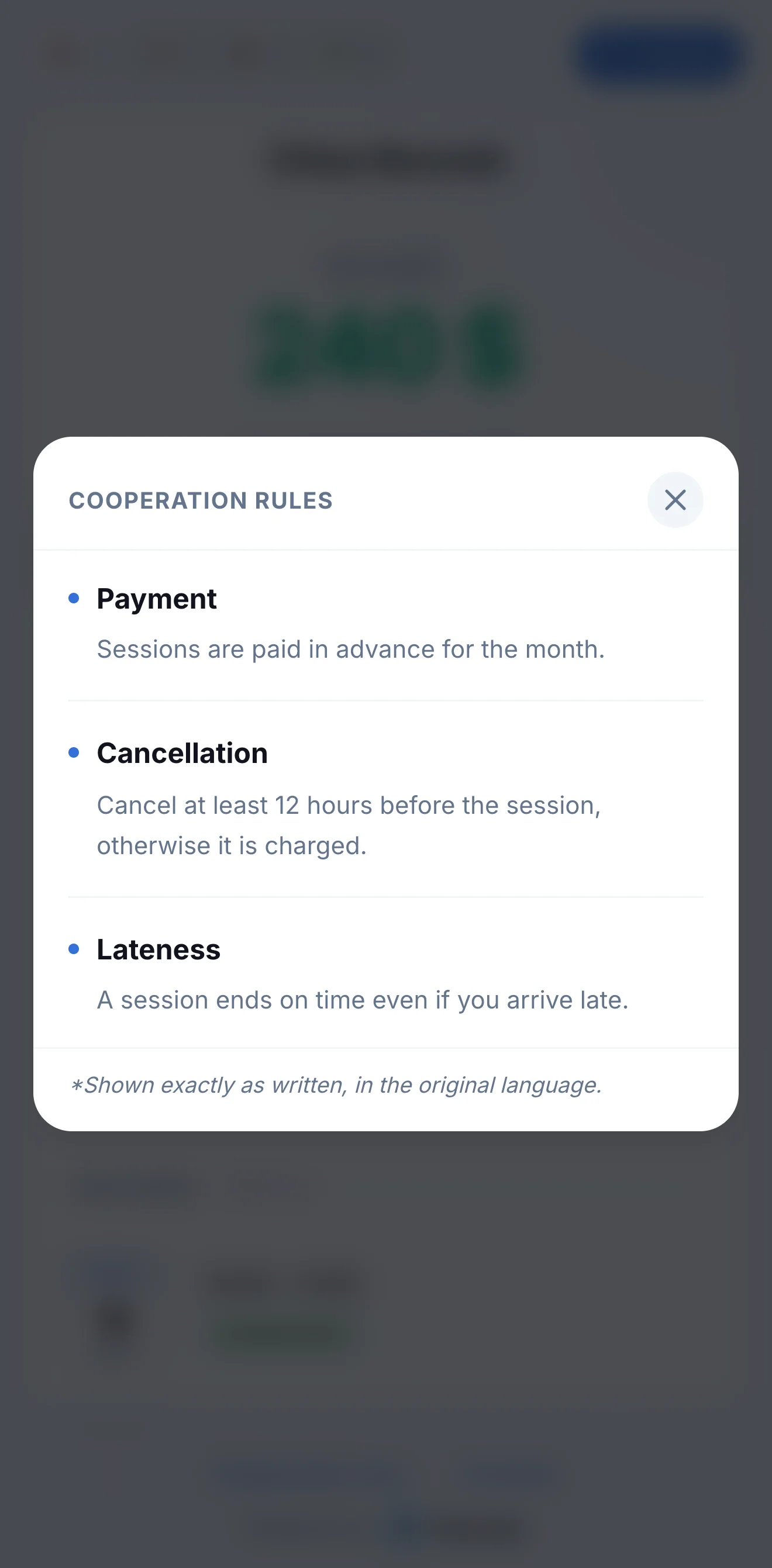
Send a client their link and they see their sessions for last week, this week and next, their balance and latest payments. Your rules are there too: payment, cancellation, lateness. Times show in the client's own time zone.
- No app and no sign-up, just a link
- Change the schedule and the client sees it on the portal right away
Who in the class shows up, and who skips?
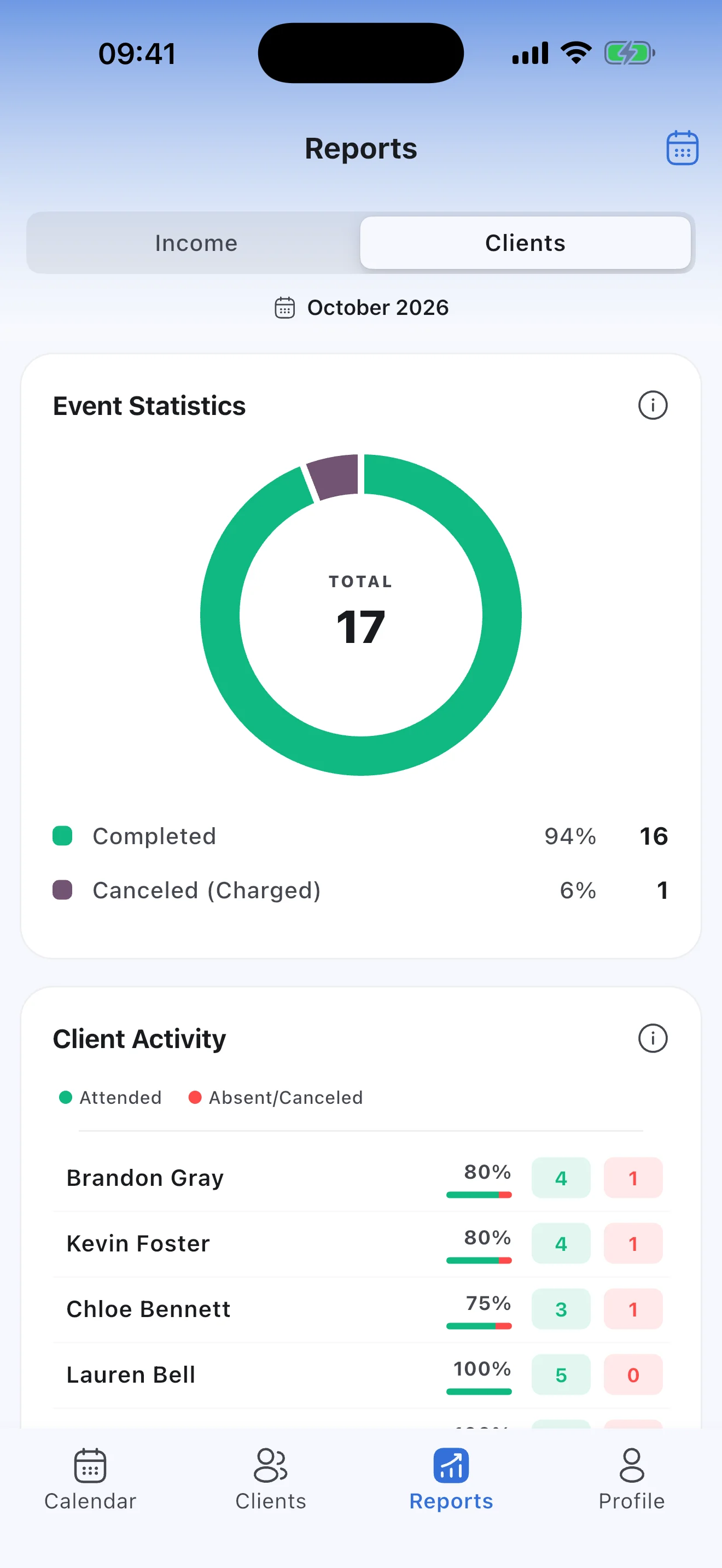
Every client's attendance
Reports show how many sessions you held this month and how many were canceled, charged or not. Client Activity lists everyone with their visits, misses and attendance rate, those who miss most first.
What's left after the gym rent?
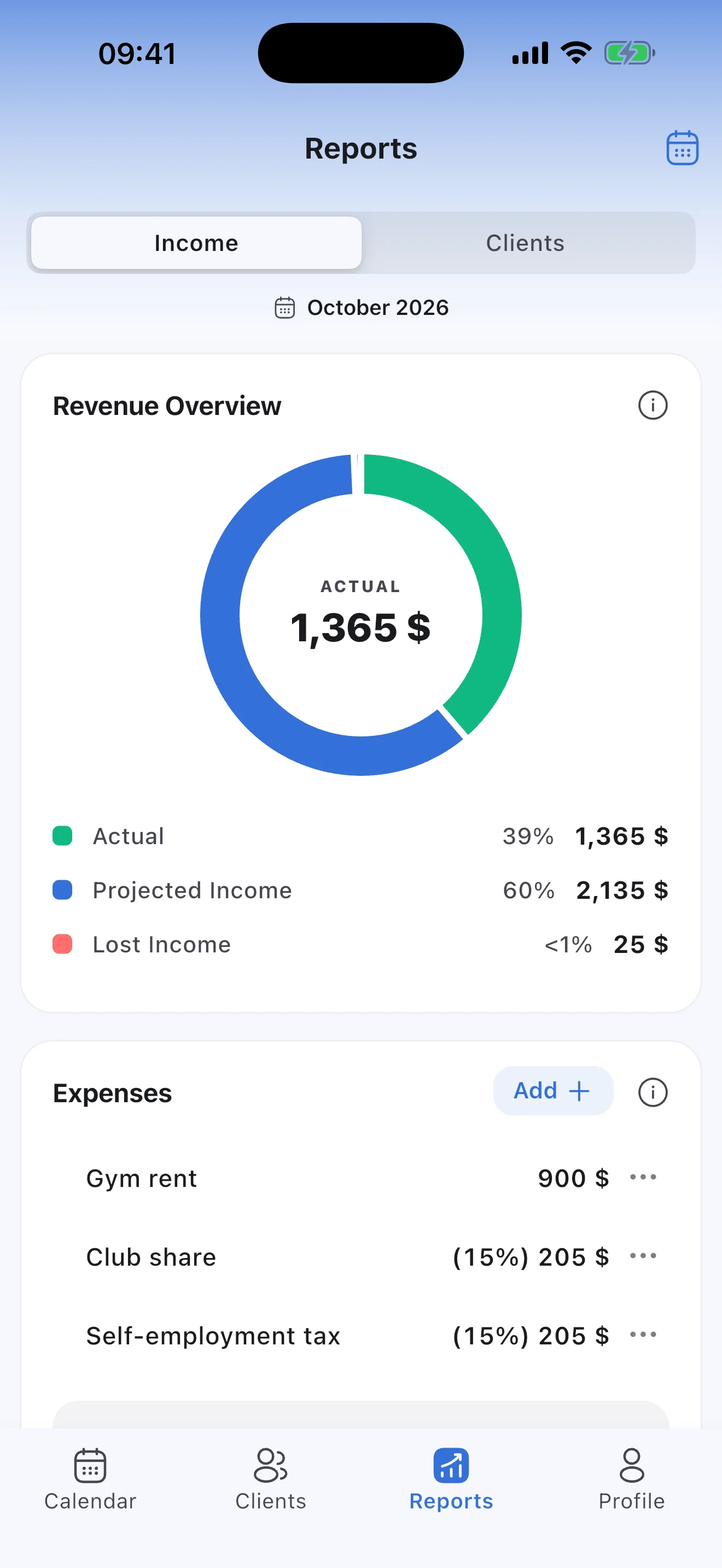
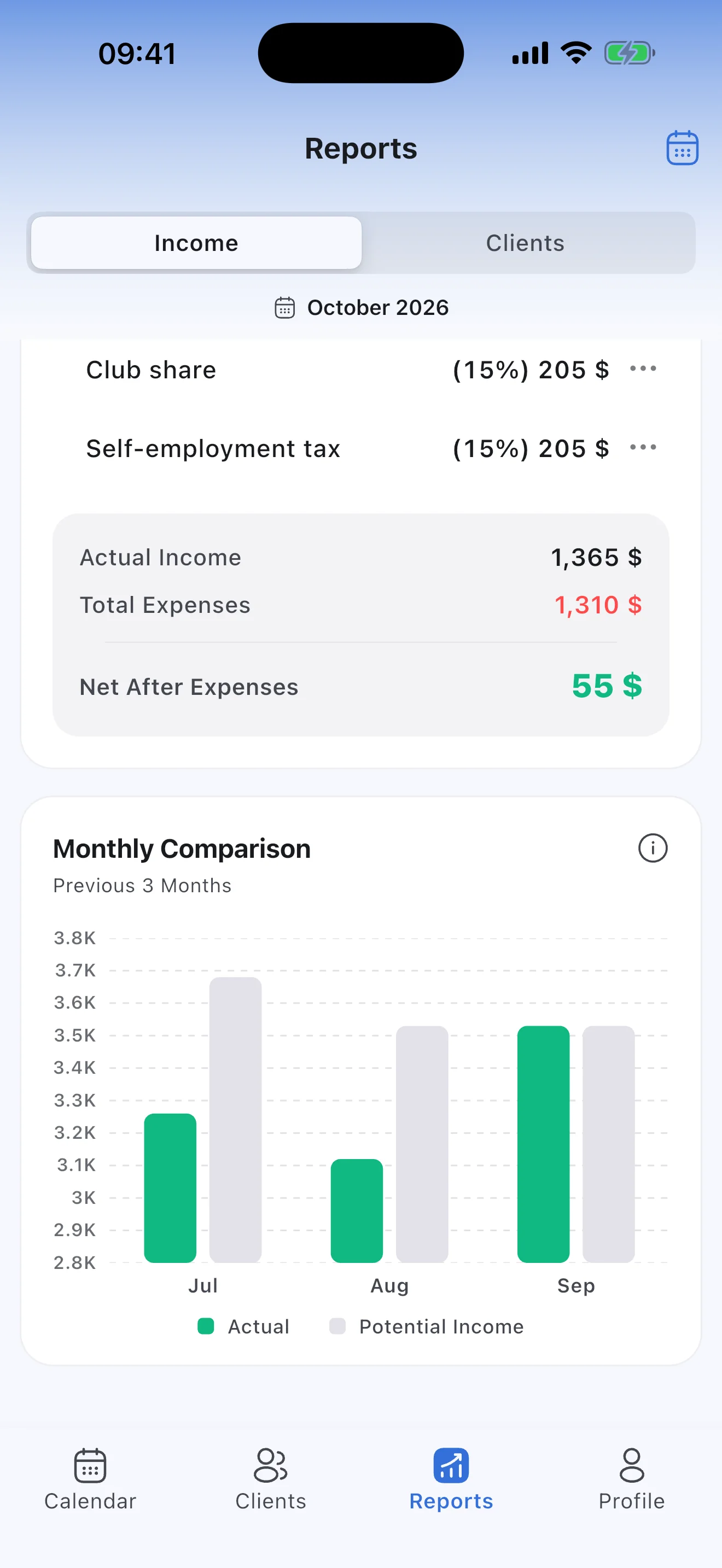
Net income after rent and the club's share
Add your expenses — gym rent as a fixed amount, the club's share and tax as a percentage of income — and the report shows what you actually earned. A three-month comparison shows how your income is changing.
- Expenses can repeat every month
- Top-ups aren't income: only what you charge for sessions counts
Good to know
- Syncoly doesn't take card payments: you record payments in the app yourself.
- Clients don't book sessions themselves: you keep the schedule.
Still have questions?
How the portal, payments, reports and subscription work: the answers are in the FAQ.
Teach private lessons? Syncoly for tutors →
Your schedule and your income, finally in sync.
Join the professionals already running their business on Syncoly.
Scan with your phone's camera